Yem Links creates short links on your own domain, counts the clicks real visitors make and checks that each destination still works. This page covers what you need, how to install the plugin, and how to create and test your first link.
What Yem Links does
Each link you create gets a short address such as yoursite.com/go/product-name/ that redirects visitors to the destination you choose. Click counts leave out known search engine, SEO and AI crawlers, and a built-in health check reports the HTTP status of every destination. Links are stored in two dedicated database tables, and redirects run before your theme loads.
Requirements
- WordPress 6.0 or later
- PHP 7.4 or later
- An Administrator account. The Yem Links screens need the
manage_optionscapability.
Install Yem Links
Yem Links is free on WordPress.org, so you can install it from your WordPress admin and get updates there like any other plugin.
- In your WordPress admin, go to Plugins → Add New Plugin and search for Yem Links.
- On the Yem Links card by YemLogic, click Install Now.
- Click Activate.
If the search doesn’t find it, download the zip from the Yem Links page on WordPress.org, then go to Plugins → Add New Plugin → Upload Plugin, select the .zip file, click Install Now and then Activate Plugin.
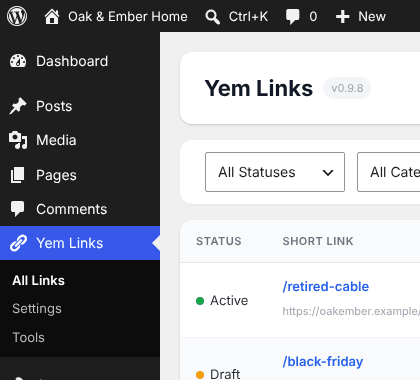
A Yem Links menu appears in the admin sidebar, with All Links, Settings and Tools beneath it. Activation creates the plugin’s database tables and sets the defaults: the base prefix is go, new links are nofollow, and bot filtering is on.
Create your first link
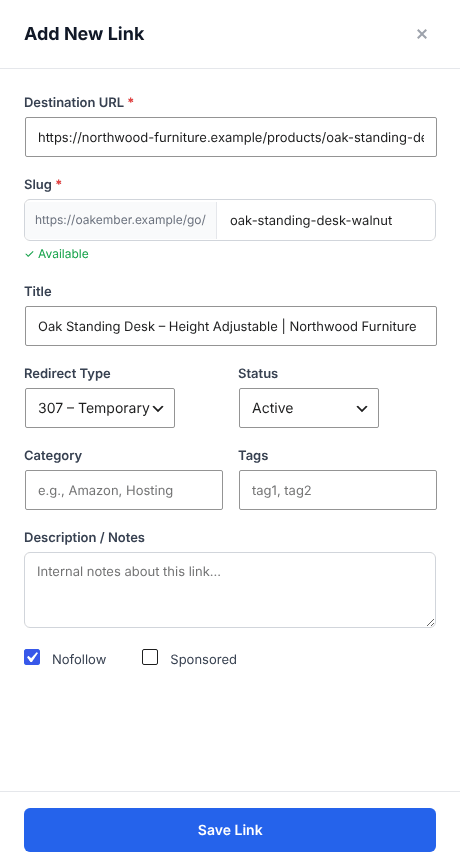
- Go to Yem Links → All Links and click Add New Link. The Add New Link panel slides in from the right.
- Paste the full address you want to send visitors to into Destination URL. It must start with
http://orhttps://. - Click or tab out of the field. Yem Links suggests a Slug based on the URL and fetches the page’s title into Title.
- Check the slug. The text in front of the field shows the start of your short link, for example
https://yoursite.com/go/. Below the field you see ✓ Available, or This slug is already in use. if another link has it. - Leave the other fields at their defaults for now and click Save Link.
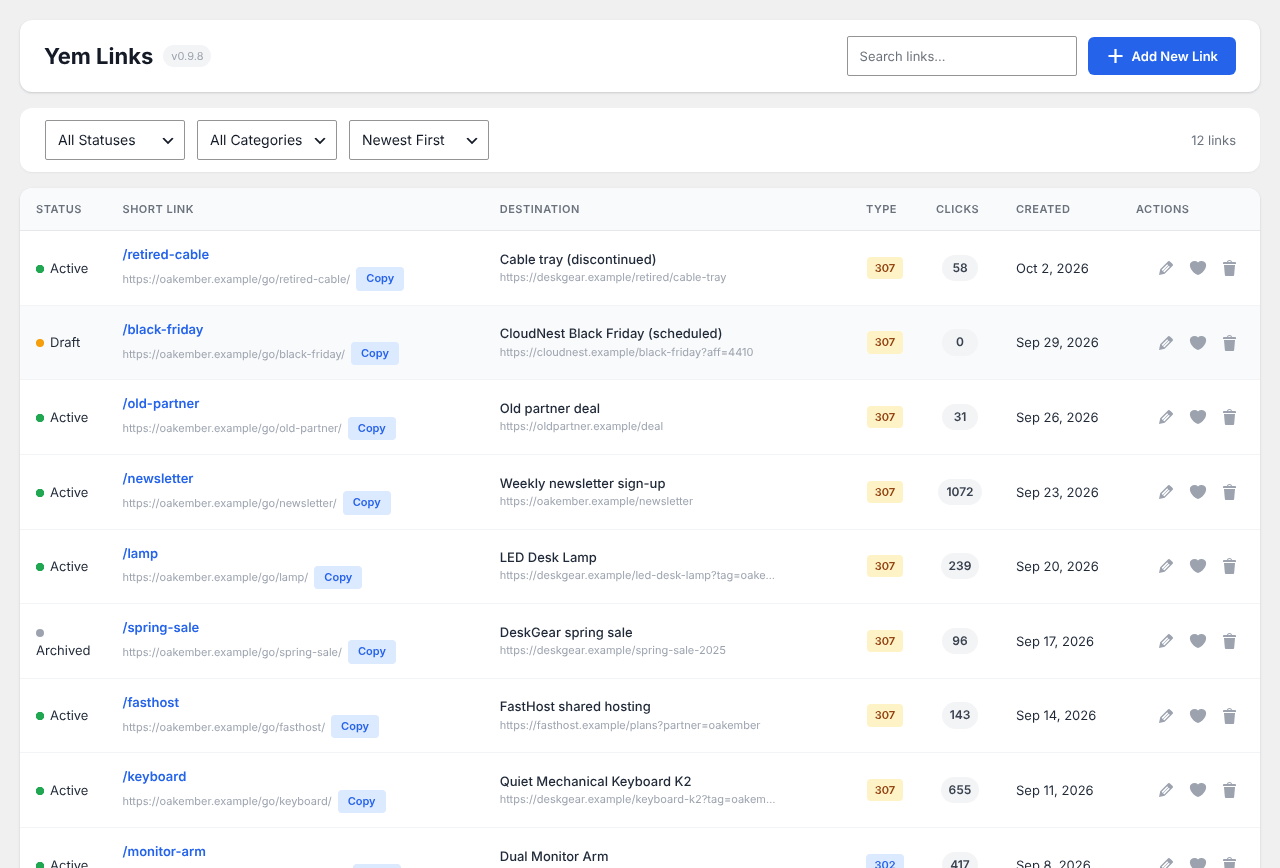
The panel closes and your link appears at the top of the list with the status Active. It works straight away.
Test the link
- In the Short Link column, click Copy next to your link.
- Open a private browser window, paste the short link into the address bar and press Enter. You should land on the destination.
- Go back to Yem Links → All Links and reload the page. The Clicks column now shows
1.
Your own visits count as clicks; only known bots are left out. If the short link shows a 404 page instead, see FAQ and troubleshooting.
Next steps
- Create and manage links: every field in the link panel, slugs, the base prefix and redirect types.
- Click counts and bot filtering: what counts as a click and which bots are left out.
- Link health checks: find destinations that no longer work.
- Settings reference: every setting and what happens to your data when you uninstall.
- Block, bookmarklet and REST API: insert links in the editor, create them from any page, or manage them from scripts.
- Install Yem Links Pro: get the Pro add-on free with a YemLogic account.
- Pro features: targeting, split tests, analytics, expiry, the Auto-Linker and more.
- FAQ and troubleshooting: fixes for 404s, unexpected counts and license problems.