All Yem Links settings are on one screen, Yem Links → Settings. This page lists each setting with what it does and its default, and explains what happens to your data when you deactivate or delete the plugin.
Yem Links settings
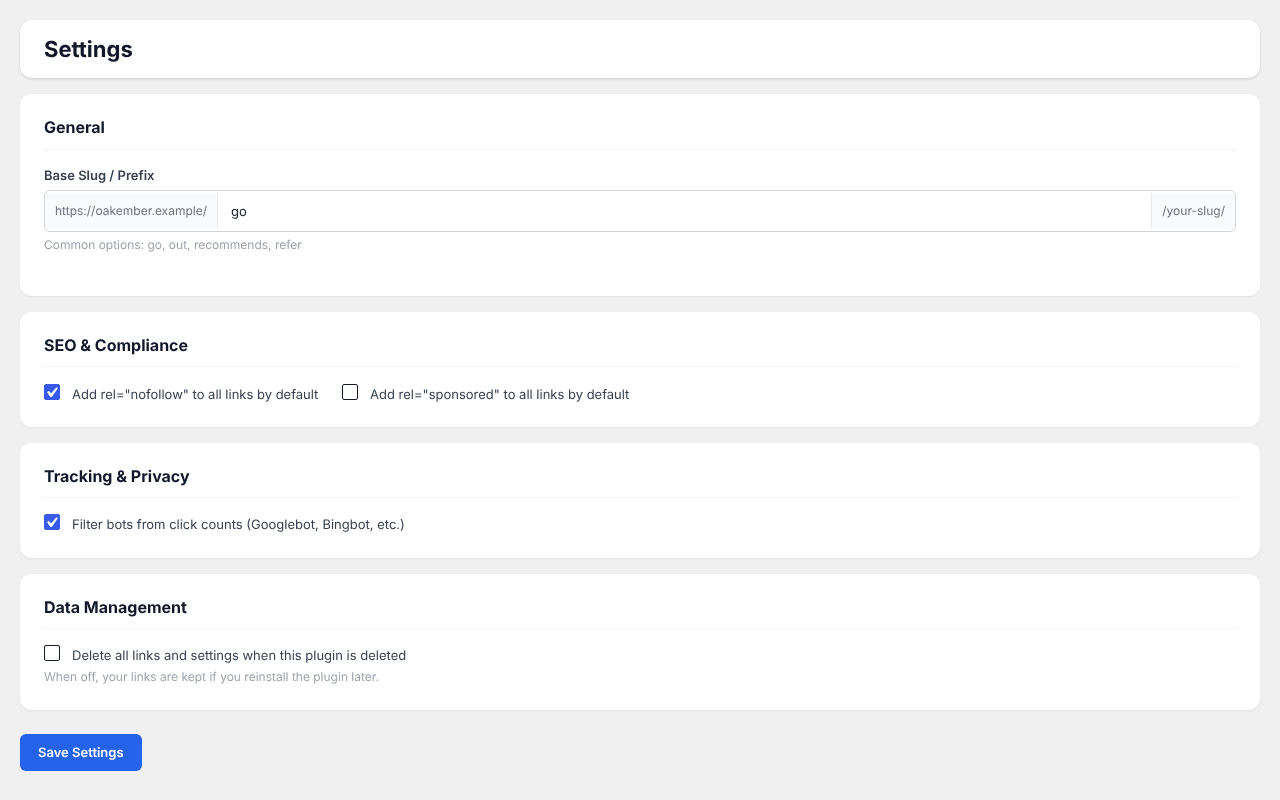
The settings are grouped into four sections: General, SEO & Compliance, Tracking & Privacy and Data Management. Change what you need, then click Save Settings at the bottom of the screen.
| Setting | What it does | Default |
|---|---|---|
| Base Slug / Prefix (General) | The part of every short link between your site address and the slug, as in yoursite.com/go/your-slug/. It’s saved in slug form: lowercase, with hyphens. It can’t be empty; if you clear it, the old prefix is kept and your other settings are still saved. All links move to the new prefix at once, and short links that use the old prefix stop working. See Change the base prefix. | go |
| Tick Nofollow for new links by default (SEO & Compliance) | Whether the Nofollow box is ticked when you add a new link in the link panel. Existing links keep their own setting. | On |
| Tick Sponsored for new links by default (SEO & Compliance) | Whether the Sponsored box is ticked when you add a new link in the link panel. Existing links keep their own setting. | Off |
| Filter bots from click counts (Googlebot, Bingbot, etc.) (Tracking & Privacy) | Leaves known bots out of click counts. Bots are redirected either way. See Click counts and bot filtering. | On |
| Delete all links and settings when this plugin is deleted (Data Management) | When on, deleting the plugin from the Plugins screen removes its database tables and settings. See Data management and uninstalling. | Off |
Yem Links Pro settings
With Yem Links Pro installed, three more sections appear below Data Management: Pro License, Analytics & Redirect Fallbacks and REST API Key. The license key and the API key have their own buttons and take effect straight away; the other fields are saved with Save Settings.
| Setting | What it does | Default |
|---|---|---|
| License Key (Pro License) | Activates Pro on this site. Paste your key and click Activate; Save Settings doesn’t save it. See Activate your license key. | Empty |
| Click Log Retention (days) (Analytics & Redirect Fallbacks) | How many days of Pro click logs to keep. A daily clean-up deletes older logs. 0 keeps them forever. | 90 |
| Expired Link Fallback URL (Analytics & Redirect Fallbacks) | Where visitors go when a link has passed its expiry date or reached its click limit. See Link expiry and click limits. | Your site’s home page |
| Broken Link Fallback URL (Analytics & Redirect Fallbacks) | Where visitors go when the broken-link monitor has flagged a link’s destination, until it works again or you mark it fixed. Leave it empty to keep sending visitors to the original destination. See Broken-link monitor. | Empty |
| REST API Key | The key for Pro’s API routes, sent in the X-Yem-Api-Key header. Copy copies it. Regenerate replaces it, and apps using the old key stop working. See REST API key. | Created automatically |
Data management and uninstalling
Deactivating
Deactivating Yem Links stops all redirects, so your short links stop working until you reactivate it. Your links, click counts and settings stay in the database and are back as soon as you reactivate.
Deleting Yem Links
What happens when you delete Yem Links from the Plugins screen depends on Delete all links and settings when this plugin is deleted:
- Off (the default): nothing is removed. If you install Yem Links again later, your links, counts and settings are still there.
- On: Yem Links drops its two database tables,
wp_yem_linksandwp_yem_link_stats(with your site’s table prefix in place ofwp_), and deletes its settings. This can’t be undone.
Deleting Yem Links Pro
Deleting Yem Links Pro always removes its license state (the key and activation status), so a reinstall starts with a fresh activation. Everything else Pro stores is removed only if Delete all links and settings when this plugin is deleted is on, or if Yem Links has already been deleted together with its data: the REST API key, the fallback URLs, split tests, Auto-Linker keywords and settings, the disclosure and Link in Bio settings, the broken-link list and the click log (the wp_yem_clicks table). Otherwise they’re kept, and reinstalling Pro picks them up again. Pro’s per-link options that live in the links table, such as targeting rules, Ghost Mode and expiry dates, stay with the links.
Pro’s click log, the wp_yem_clicks table, follows the same rule.
Note: To remove everything, turn on Delete all links and settings when this plugin is deleted, then delete both plugins, in either order. (Before Yem Links Pro 0.9.17, deleting Yem Links first left Pro’s click log behind.)