Yem Links gives you three ways to work with links outside the All Links screen: a block for the editor, a bookmarklet for your browser and a REST API for scripts and other apps.
The Yem Link block
The Yem Link block inserts one of your links into a post or page. The post stores the link’s ID and the link text, and the address is built each time the page loads, so the link keeps working after you change its slug or the base prefix.
Insert a link
- In the block editor, add a block and search for Yem Link. It’s in the Widgets category.
- Type at least two characters of the link’s title or slug into the search field (Search Yem Links…). Up to 10 matching Active links appear, each with its title and short link.
- Click a link to select it.
- Change Link Text if you want different wording. It starts as the link’s title, or the slug if the link has no title.
To pick a different link, click Change.
How the block appears on your site
- The block outputs the link as its own paragraph, so it sits on a line by itself rather than inside a sentence.
- The link’s
relattribute includesnofollowandsponsoredaccording to the link’s own Nofollow and Sponsored boxes. - If the link is deleted, or set to Draft or Archived, the block shows nothing instead of a broken link.
- Anyone who can write posts, such as Contributors, Authors and Editors, can search for links in the block. Users who aren’t Administrators search by title and slug only and never see destination URLs.
The bookmarklet
The bookmarklet is a browser bookmark that opens the Add New Link panel with the page you’re viewing already filled in.
Add it to your browser
- Go to Yem Links → Tools.
- Under Quick-Add Bookmarklet, drag the + Yem Link button to your browser’s bookmarks bar.
Clicking the button on the Tools page does nothing; it only works from the bookmarks bar.
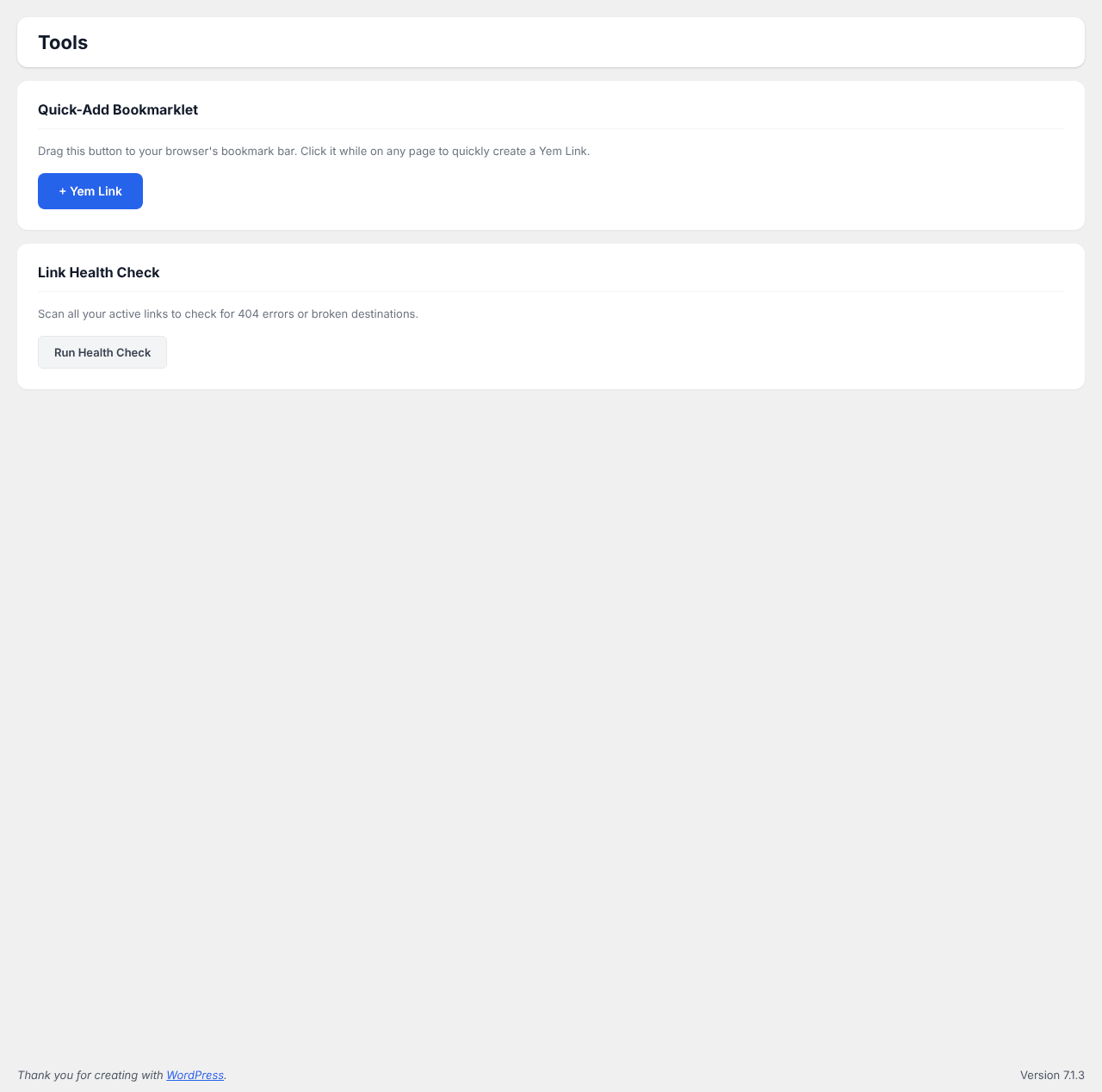
Create a link with it
- While viewing any web page, click + Yem Link in your bookmarks bar.
- A small window opens on your site with the Add New Link panel. Destination URL holds the page’s address, Slug holds a suggestion and Title holds the page’s title.
- Adjust the fields, click Save Link and close the window.
You need to be logged in to your WordPress admin in the same browser. If you aren’t, the window shows the WordPress login screen first.
REST API
The REST API lets scripts and other apps list, create, update and delete links. All routes live under /wp-json/yem-links/v1/ on your site.
Authentication
The link routes require a WordPress user with the manage_options capability, normally an Administrator. For scripts, the simplest option is an application password: go to Users → Profile, scroll to Application Passwords, enter a name and click Add New Application Password. Send your username and that password with HTTP Basic authentication, over HTTPS.
Yem Links Pro adds an API key for a few extra routes; see REST API key. The link routes below don’t accept that key.
Endpoints
| Method | Route | What it does |
|---|---|---|
GET | /yem-links/v1/links | Lists links, newest first. |
POST | /yem-links/v1/links | Creates a link. |
GET | /yem-links/v1/links/{id} | Returns one link. |
POST, PUT or PATCH | /yem-links/v1/links/{id} | Updates the fields you send and leaves the rest unchanged. |
DELETE | /yem-links/v1/links/{id} | Deletes a link and its click count. |
GET | /yem-links/v1/search?search=term | Returns up to 10 Active links matching the term, with their ID, title, slug and short link. The Yem Link block uses it. It needs only the edit_posts capability. |
Listing parameters
| Parameter | Default | What it does |
|---|---|---|
per_page | 20 | Links per page. |
page | 1 | Page number. |
status | All statuses | active, draft or archived. |
search | None | Matches text in the slug, destination URL and title. |
Link fields
Send fields as a JSON body with the header Content-Type: application/json. Fields sent any other way are ignored.
| Field | Type | Notes |
|---|---|---|
url | string | Required when creating. A full http or https URL. |
slug | string | Required when creating. Up to 100 characters, and unique. |
title | string | Up to 255 characters. |
description | string | Private notes. |
redirect_type | integer | 301, 302 or 307. Defaults to 307. |
status | string | active (default), draft or archived. |
nofollow | 0 or 1 | Defaults to 1 when creating, whatever the default in Settings. |
sponsored | 0 or 1 | Defaults to 0 when creating, whatever the default in Settings. |
category | string | One category. |
tags | string | Comma-separated tags. |
Example: create a link
This request creates a 301 link at /go/spring-sale/ (with the default prefix), using an application password. Replace the username, password and site address with your own.
curl -X POST https://example.com/wp-json/yem-links/v1/links \
  -u "admin:abcd efgh ijkl mnop qrst uvwx" \
  -H "Content-Type: application/json" \
  -d '{"url":"https://shop.example.net/spring","slug":"spring-sale","title":"Spring sale","redirect_type":301}'
Responses
Creating, reading and updating a link return the link as a JSON object, including its short_url, total_clicks and last_clicked_at. Numbers come back as strings, the way WordPress reads them from the database. The example above returns:
{
  "id": "42",
  "slug": "spring-sale",
  "url": "https://shop.example.net/spring",
  "redirect_type": "301",
  "title": "Spring sale",
  "description": "",
  "nofollow": "1",
  "sponsored": "0",
  "status": "active",
  "category": "",
  "tags": "",
  "created_at": "2026-10-08 09:15:00",
  "updated_at": "2026-10-08 09:15:00",
  "total_clicks": "0",
  "last_clicked_at": null,
  "short_url": "https://example.com/go/spring-sale/"
}
With Yem Links Pro installed, the object also contains Pro’s per-link fields, such as ghost_mode and expiry_date. These can’t be changed through this API.
Listing returns {"items": [...], "total": 57}, where total is the number of matching links across all pages. List items don’t include short_url. Deleting returns {"deleted": true}.
Errors use the standard WordPress REST format, with a code such as yem_links_slug_exists and a readable message:
| Status | Meaning |
|---|---|
400 | A field is missing or invalid. The message names the problem, for example Please enter a slug. |
401 or 403 | You aren’t authenticated, or your user lacks the required capability. |
404 | No link has that ID. |
409 | Another link already uses that slug. |
500 | The database couldn’t save the change. |