Yem Links counts a click each time a visitor follows an active short link, and leaves out requests from known bots. This page explains what counts, how the bot filter works and where to see the numbers.
What counts as a click
A click is counted when a request for an Active short link is redirected and the visitor isn’t identified as a bot. In practice:
- Every visit counts, including repeat visits from the same person. Yem Links doesn’t count unique visitors.
- Your own visits count. Being logged in to WordPress doesn’t exclude you.
- Requests for Draft or Archived links, or for slugs that don’t exist, aren’t counted.
- Bots are still redirected to the destination. They just aren’t counted.
- In Pro, a visit to a link that has expired or reached its click limit goes to the fallback URL and isn’t counted.
On servers that support it (PHP-FPM and LiteSpeed), Yem Links sends the redirect first and records the click afterwards, so visitors don’t wait for the database.
How bot filtering works
Yem Links compares each visitor’s user agent, the name a browser or crawler sends with every request, against a built-in list of 31 crawler and link-preview names. The match ignores case. A request with no user agent at all is also treated as a bot. The list covers:
- search engine crawlers: Googlebot, Bingbot, Applebot, Yahoo’s Slurp, DuckDuckBot, Baidu, Yandex, Sogou, Exabot and PetalBot
- SEO tool crawlers: SemrushBot, AhrefsBot, MJ12bot and DotBot
- AI crawlers: GPTBot, OAI-SearchBot, ClaudeBot, PerplexityBot, CCBot, Amazonbot, meta-externalagent and Bytespider
- link-preview fetchers: Facebook (facebookexternalhit and Facebot), X (Twitterbot), Slack, LinkedIn, WhatsApp, Discord and Telegram
- the ia_archiver archive crawler
The list is fixed. Crawlers and link-preview services that aren’t on it, and bots that pretend to be ordinary browsers, are counted as clicks.
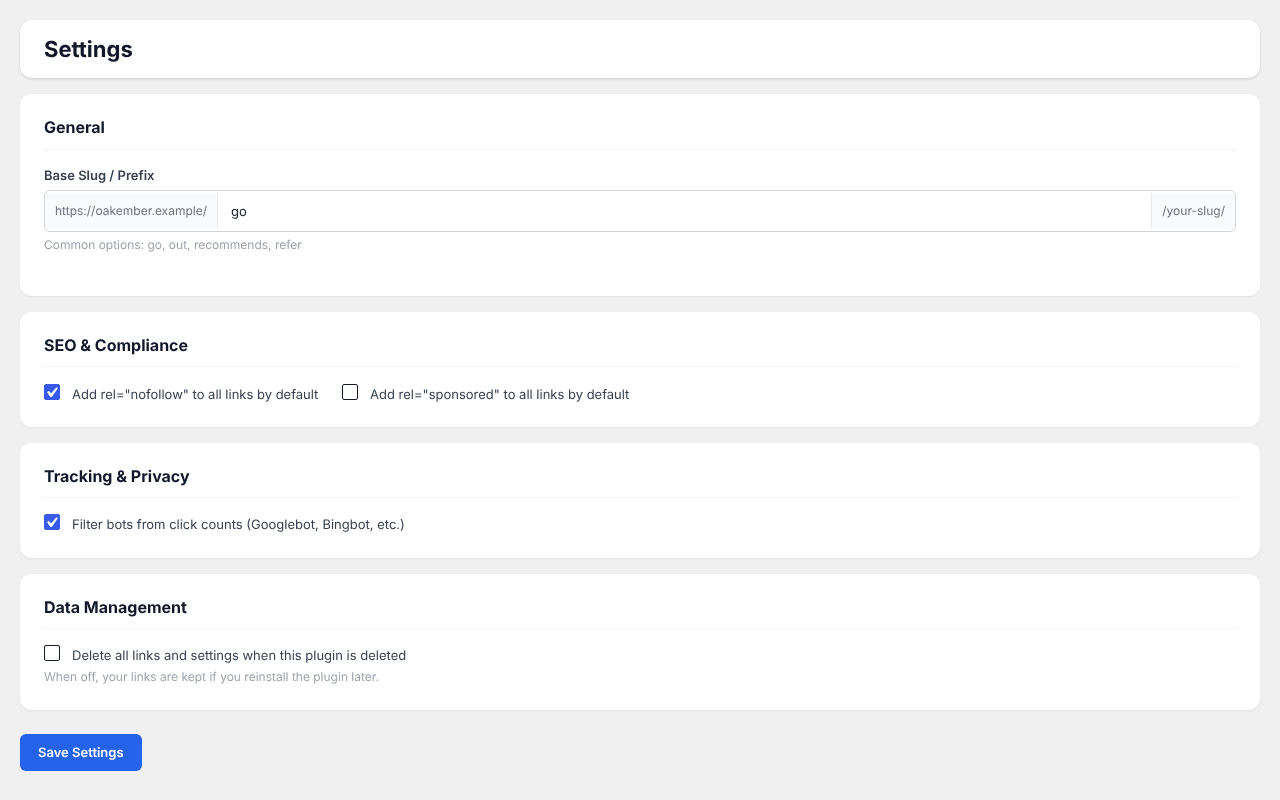
Turn bot filtering off
- Go to Yem Links → Settings.
- Under Tracking & Privacy, untick Filter bots from click counts (Googlebot, Bingbot, etc.).
- Click Save Settings.
From then on, every redirect counts, bots included. Counts you’ve already collected don’t change. Tick the box again to switch filtering back on.
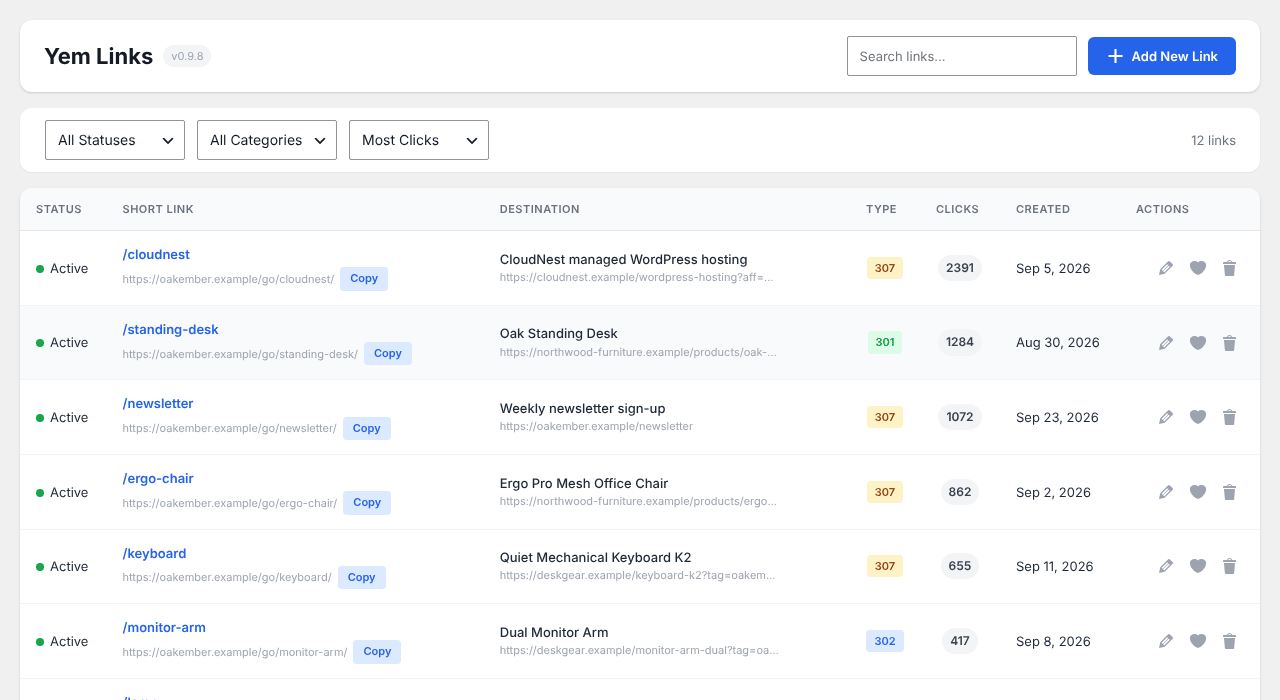
Where you see click counts
- The Clicks column on Yem Links → All Links. Choose Most Clicks in the sort menu to rank your links.
- The REST API, which returns
total_clicksandlast_clicked_at(the time of the most recent counted click) for each link. See REST API.
Counts are lifetime totals. Yem Links doesn’t break them down by date; Pro’s Analytics screen does.
What Yem Links stores
For each link, Yem Links stores only a running click total and the time of the last counted click. It doesn’t store IP addresses, user agents or referrers, and it doesn’t set cookies.
What Pro adds
Yem Links Pro also records each counted click in its own log, with:
- the date and time
- the visitor’s IP address, shortened: the last part of an IPv4 address and the last half of an IPv6 address are replaced by zeros
- the referring page
- the country, when your host or CDN reports it
- the device type (mobile, tablet or desktop), operating system and browser
The Yem Links → Analytics screen turns this log into a total, a clicks-per-day chart and a top-10 list. It always leaves bots out, even if you turn bot filtering off. Pro only logs clicks while its license is active, so Analytics totals can be lower than the Clicks column. See Click analytics.