The health check requests each link’s destination and reports the HTTP status code it gets back, so you can spot dead destinations before your visitors do. You can check one link or all active links at once.
Check one link
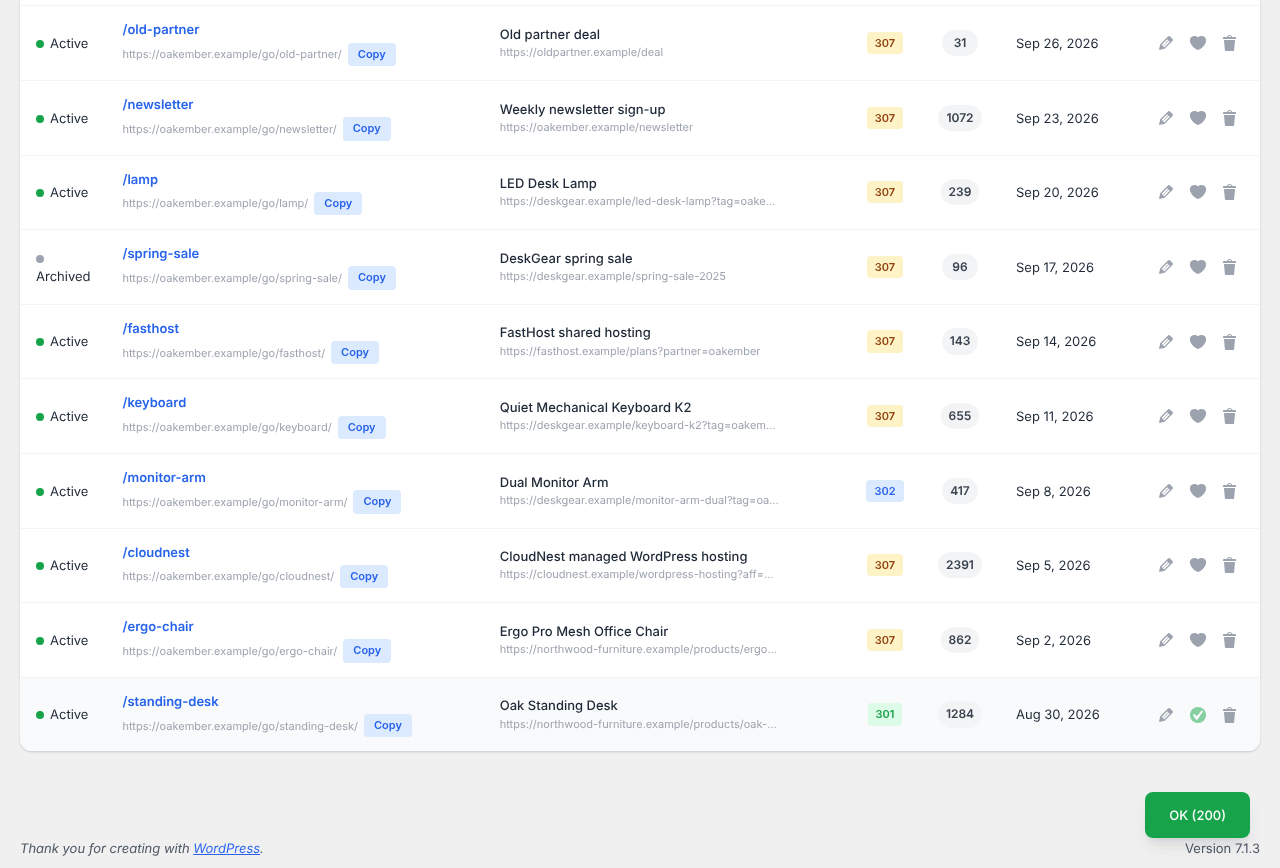
- In Yem Links → All Links, click the heart icon (Health Check) in the link’s Actions column.
- Wait for the icon to stop spinning.
A green tick and a message such as OK (200) mean the destination answered normally. A red warning icon and a message such as Error (404) mean it didn’t; the number is the status code it returned. If the destination couldn’t be reached at all, the message is Unreachable. The icon resets after five seconds.
The single check works for links of any status, including Draft and Archived.
Check all active links
- Go to Yem Links → Tools.
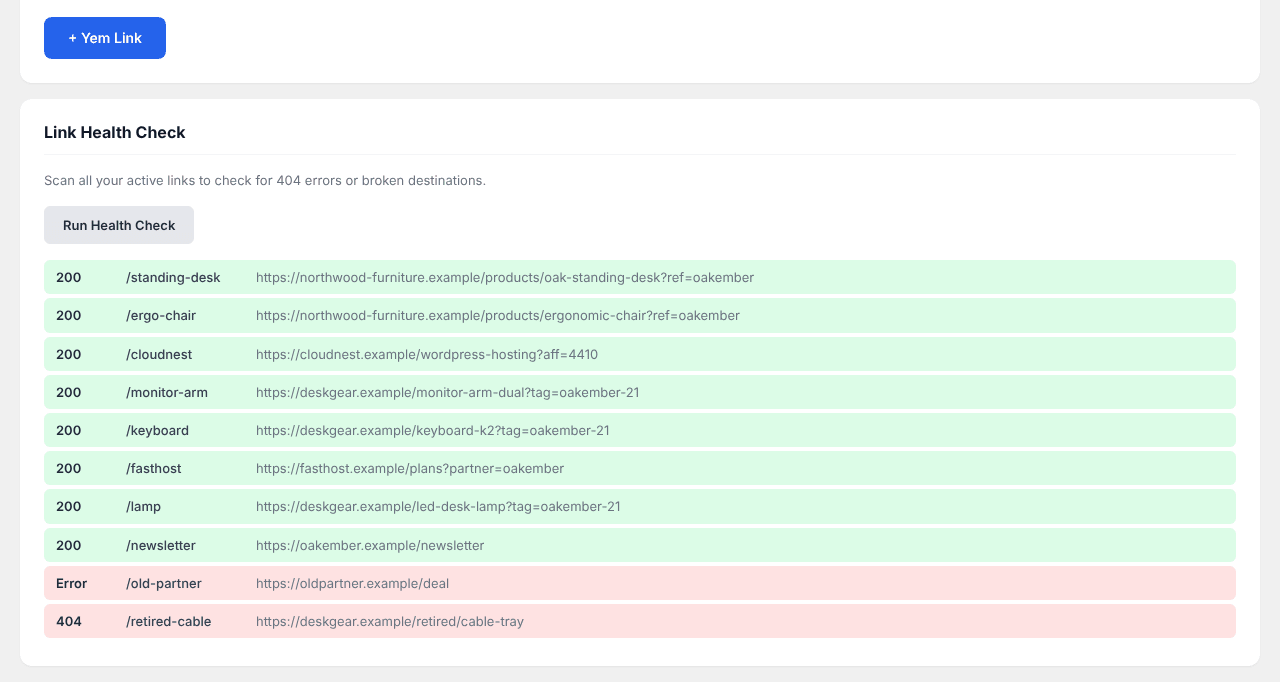
- Under Link Health Check, click Run Health Check.
- Keep the page open while it runs. A progress line such as Checked 10 of 42… updates as each batch finishes.
Links are checked five at a time, oldest first, so even a long list never runs into your server’s time limit. Each result shows the status code (or Error), the slug and the destination, in green for healthy links and red for broken ones. Only Active links are checked. If you have none, you see No active links to check.
Results stay on screen until you leave the page. They aren’t saved, and the bulk check doesn’t run on a schedule.
What the results mean
Status codes from 200 to 399 count as healthy, and codes from 400 upwards count as broken.
| Result | Meaning |
|---|---|
200–399 | Healthy. The destination answered normally. Redirects at the destination are followed, up to five. |
404 or 410 | The page doesn’t exist. The merchant may have retired the product or moved the page. |
403, 429 or 503 | Often bot protection: the site refused an automated request. Open the link in your browser before you change anything. A 503 can also mean the site is down for maintenance. |
500–599 | The destination’s server had an error. It may be temporary, so check again later. |
| Error | No usable response: the domain doesn’t resolve, the connection failed or took too long, or the site’s security certificate was rejected. Also shown for destinations the check isn’t allowed to reach (see below). |
How the check works
- It first sends a HEAD request, which asks for the headers only. If that gets no response, or a
403,405or501, it tries again with a GET request that reads just the first 2 KB of the page, because many shops and affiliate networks reject HEAD requests. - Each request waits up to 6 seconds and follows up to five redirects.
- Requests come from your web server, with the user agent
Mozilla/5.0 (compatible; YemLinks Health Check/1.0; +https://yoursite.com). - Checking a link doesn’t change its status or its click count.
What the health check doesn’t do
- It doesn’t read the page content. A page that returns
200but says the product is unavailable shows as healthy. - It doesn’t run by itself, keep a history, email you or change a link’s status.
- It checks only each link’s main Destination URL, not URLs set in Pro’s targeting rules or split tests.
- It can’t check destinations on private network addresses or on ports other than 80, 443 and 8080. WordPress blocks those requests for security, so they show Error.
- It sees what your server sees. A site that blocks your host’s IP address, or behaves differently by country, can give a different result from the one you get in your browser.
Automatic monitoring in Pro
Yem Links Pro adds a Broken Link Monitor to Yem Links → Tools. It checks active destinations in the background every week, keeps a list of broken links until they work again or you mark them fixed, emails the site’s admin address when it finds new ones, and can send visitors of flagged links to a fallback URL. See Broken-link monitor.